 Emlak Radar
Claude and ChatGPT
Emlak Radar connector
Ask Claude or ChatGPT about your team's Emlak Radar records. The connector only reads, works with your own permissions and does not send phone numbers by default.
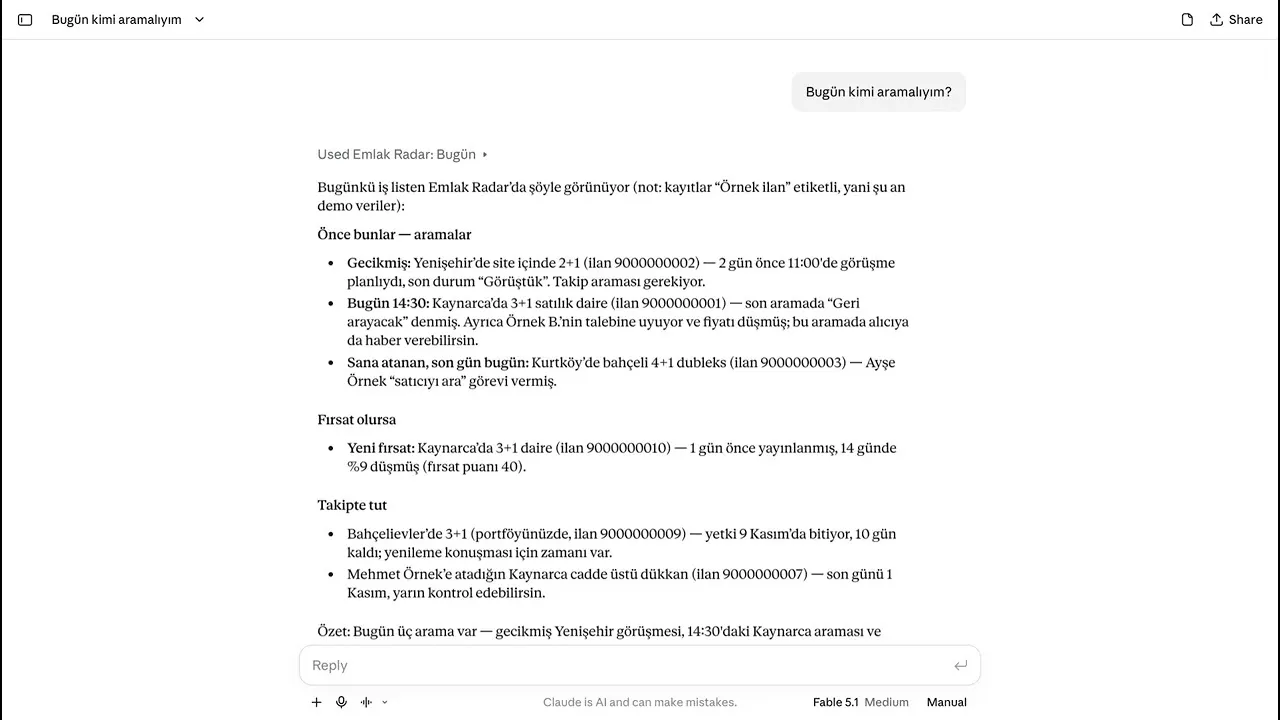
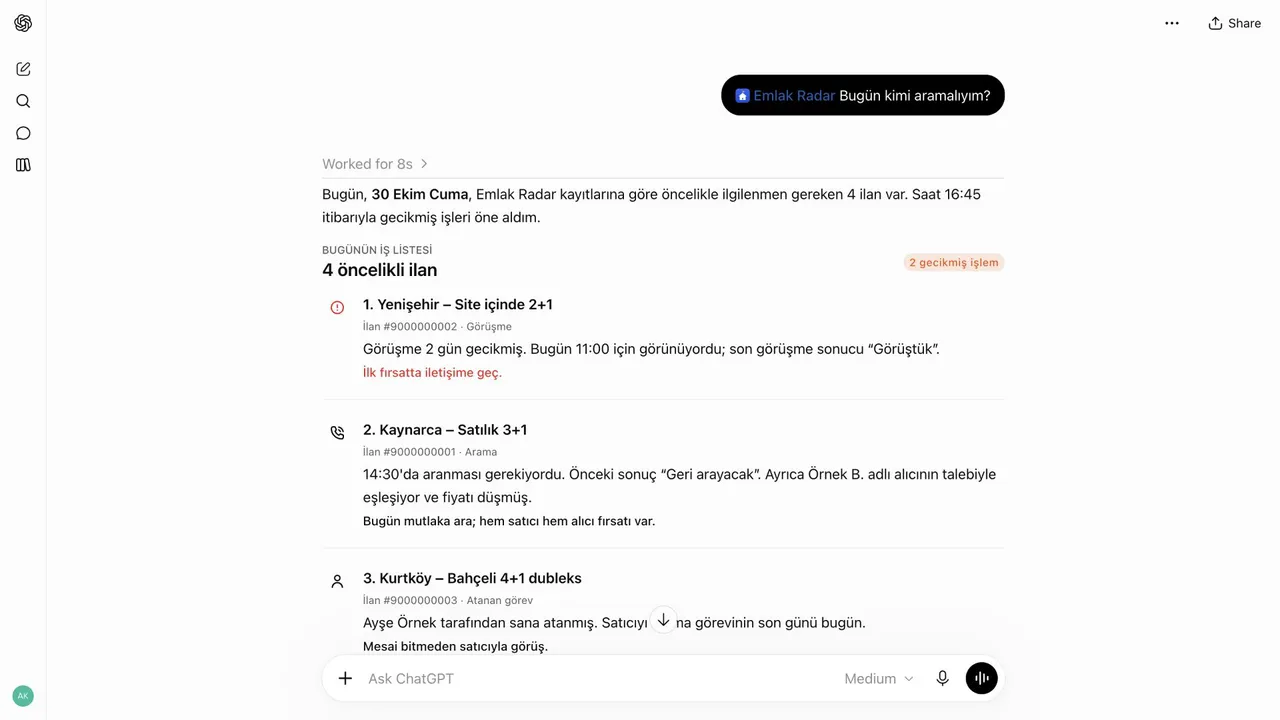
The records in the videos are sample data; the app is in Turkish. A video loads from YouTube when you press play.
Connector URL
https://mcp.emlakradar.co/mcp
Example questions
The data and the app are in Turkish; you can ask in Turkish or English.
- “Bugün kimi aramalıyım?” (Who should I call today?)
- “Which owners' ads in Pendik dropped their price in the last week?”
- “Is ad 4521 expensive compared with the market?”
- “Which of our portfolio mandates end this month?”
First: the team owner turns the connector on
The connector starts off in every team. The team owner turns it on in the web app, on the Ekip (Team) page, card Yapay zekâ bağlayıcısı (AI connector). After that every active member of the team can connect with their own account.
Add it to Claude
Available on Claude's paid plans (Pro, Max, Team, Enterprise) and as the single custom connector on the free plan. On Team and Enterprise an Owner adds the connector once, then each member connects.
- On claude.ai open Settings → Connectors and choose Add custom connector.
- Name it Emlak Radar, enter
https://mcp.emlakradar.co/mcpas the URL and add it. - Press Connect. Emlak Radar's sign-in card opens in the browser: sign in with an e-mail code or with Apple.
- The confirmation page names the AI client, your team and what it may read. Press Devam (Continue).
- Back in Claude the connector shows its tools. Claude Desktop and the mobile apps use the same connection.
Add it to ChatGPT
ChatGPT takes custom connectors in developer mode. On Business and Enterprise an admin enables developer mode and publishes the connector.
- In ChatGPT open the Apps settings, press + and choose Add custom MCP server.
- Enter
https://mcp.emlakradar.co/mcp, choose OAuth as authentication and create it. - Sign in on Emlak Radar's card and press Devam (Continue) on the confirmation page.
- In a chat, choose Emlak Radar from the tools menu.
Current steps with screenshots: mcp.emlakradar.co. The AI apps rename their menus from time to time.
What the connector can see
The connector reads only your own team's records, with your permissions. The permissions the team owner gave you (seeing prices, documents) apply unchanged.
- The Today list: calls due, overdue items, your assignments, ads that match buyer requests
- Ad search and ad details, the ad's history (calls, notes, next actions)
- Market analysis: comparable ads, the price-per-m² range
- Changes: new ads, price changes, removed ads
- Portfolio cards, buyer requests, team members' names and roles
What the connector cannot see or do
- It cannot change anything: no notes, no assignments, no status changes.
- Sellers', owners' and buyers' phone numbers are hidden by default. Phone numbers, e-mail addresses, Turkish ID numbers and IBANs inside texts become “[gizli]” (hidden).
- Names of people outside the team are shortened (“Ahmet Y.”). Team members' e-mail addresses are never sent.
- No photos, documents or files.
- No other team's data, no paid reads, no administration.
Privacy summary
- Answers go to the AI provider you chose (Anthropic or OpenAI, outside Türkiye) and are kept there under your own account's terms.
- If the team owner also allows it, phone numbers show only in the details of a single ad or portfolio card, never in lists. Each one shown is logged.
- Each question is written to the team's records and kept for one year. There is a daily limit per member.
- End your connection at any time in Emlak Radar under Cihazlarım (My devices). When the team owner turns the connector off, every connection ends at once. A member removed from the team loses access on the next question.
Details: Privacy overview and the full Turkish notice, AI connector section.